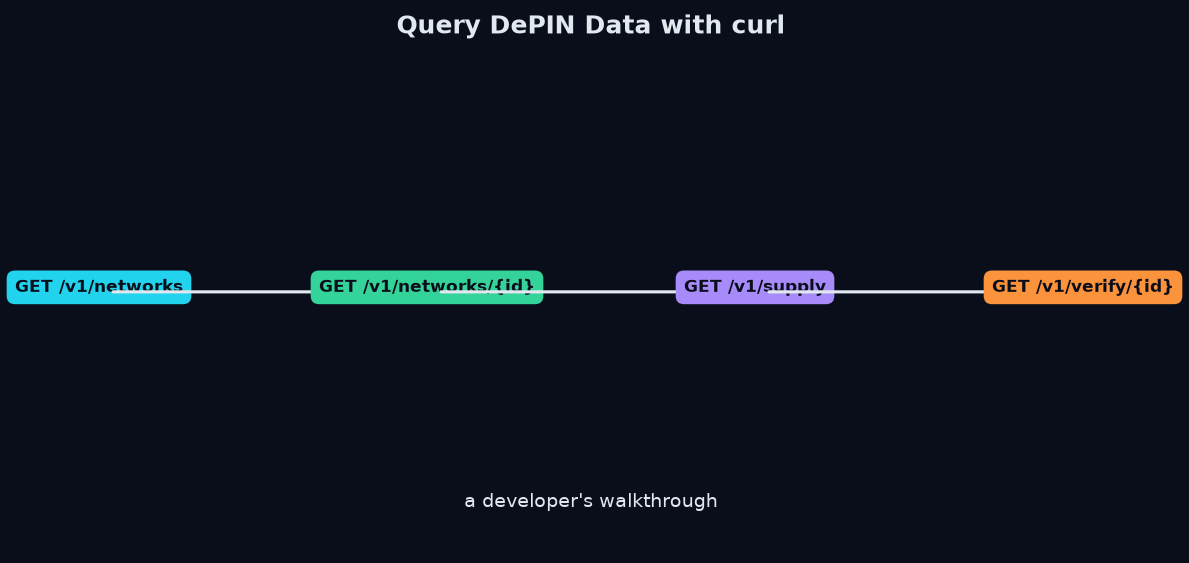
Querying DePIN Data: The Basics
DePIN data is served through a REST API at https://api.kairossignal.com. This guide walks through the core queries with curl, covering the live endpoints that expose the live networks and their series. Every request uses an API key; register for a free one at https://kairossignal.com/free-key.
1. Browse Networks
The first query is the catalog. Each entry includes a coverage tier, so you know what kind of data to expect.
# All networks (327 live + catalog)
curl "https://api.kairossignal.com/v1/networks" \
  -H "X-API-Key: *"
Filter to first-party telemetry only
curl "https://api.kairossignal.com/v1/networks?tier=first_party"
Filter by category
curl "https://api.kairossignal.com/v1/networks?category=compute"
2. Pull a Network's Telemetry
# Full telemetry for one network
curl "https://api.kairossignal.com/v1/networks/akash" \
  -H "X-API-Key: *"
Specific fields only
curl "https://api.kairossignal.com/v1/networks/akash?fields=gpu_active,gpu_available,cpu_active"
3. Supply Series Over Time
For trend analysis, query a supply series over a window.
curl "https://api.kairossignal.com/v1/supply?network=filecoin&window=90d" \
  -H "X-API-Key: *"
With a specific metric
curl "https://api.kairossignal.com/v1/supply?network=render&metric=rndr_staked&window=30d"
4. Compare Across Networks
Because data is normalized into 38 canonical concepts, you can compare the same metric across networks in one query.
# GPU utilization across the compute category
curl "https://api.kairossignal.com/v1/compare?concept=GPU_UTILIZATION&category=compute"
Rank networks by active nodes
curl "https://api.kairossignal.com/v1/compare?metric=NODES_ACTIVE&sort=desc"
5. Verify Any Value
Every value carries provenance. The verify endpoint lets you inspect the receipt.
# Inspect a value's source, as_of, verify_url, freshness verdict
curl "https://api.kairossignal.com/v1/verify/{value_id}" \
  -H "X-API-Key: *"
Open the returned verify_url to confirm the number at the source.
Understanding the Response
Every value carries the provenance contract:
{
  "network": "akash",
  "gpu_active": 3500,
  "source": "first_party_api",
  "as_of": "2026-08-25T12:00:01Z",
  "verify_url": "https://...",
  "freshness_verdict": "fresh"
}
Building a Polling Loop
The typical production pattern is a polling loop. Since every value carries an as_of timestamp, you can deduplicate and build your own time series, or use the built-in supply history endpoint for the full window:
# Poll a metric at your cadence
while true; do
  curl "https://api.kairossignal.com/v1/networks/akash?fields=gpu_active" \
    -H "X-API-Key: *"
  sleep 300
done
Store the as_of and the value; the verify_url lets you audit the series later.
Error Handling: Freshness Verdicts
When a value is stale or missing, the response tells you rather than returning a misleading zero. Check the freshness_verdict in your code:
fresh— safe to use as current.stale— use with caution or as historical.missing— exclude or impute; never treat as zero.
Next Steps
- For agents, the same data is exposed through the MCP server at https://kairossignal.com/mcp/.
- For the full schema, see the DePIN Data Documentation.
- Full reference at https://kairossignal.com/api-docs.
FAQ
Do I need an API key? No for browsing —/v1/networks, /v1/supply, /v1/market, /v1/revenue and /v1/provenance all work keyless. A key (free, instant at https://kairossignal.com/free-key) is only needed for account surfaces: checking your balance, purchasing data products, and topping up. Keys are sent in the X-API-Key header, not as bearer tokens.
Can I compare across networks? Yes. Fields normalize into 38 canonical concepts, so GPU_UTILIZATION is comparable across networks in one compare call.
How do I handle missing values? Check the freshness_verdict. A missing verdict means the value is excluded, not zero — never treat it as zero.
Get a free API key →
Beyond the Basics: Pagination and Filtering
The catalog endpoints support filtering that keeps queries efficient. You can filter by tier (first_party, onchain_market, catalog_only) and category (compute, storage, wireless, AI, sensors), and large results are paginated. Filtering server-side means you pull only the networks you need rather than the whole catalog, which keeps both latency and cost down.
# Pull only first-party compute networks
curl "https://api.kairossignal.com/v1/networks?tier=first_party&category=compute"
A Complete Working Script
Putting it together, a simple polling script that monitors a network and flags stale values:
curl "https://api.kairossignal.com/v1/networks/akash?fields=gpu_active,gpu_available" \
  -H "X-API-Key: *" | jq 'select(.gpu_active.freshness_verdict != "missing")'
Check the freshness_verdict before you trust a value, and you've built the core of a defensible monitoring system. The provenance fields aren't decoration — they're the API surface for building trustworthy pipelines.
Read more: DePIN Developer Guide · DePIN Data Documentation · How to Query DePIN Data API
---
This is a data product. Kairos Signal publishes no trading signals, performance returns, win rates, or accuracy claims.---
Try it yourself
Query the live catalog, supply telemetry, and provenance receipts directly: /v1/provenance on the REST API.
Related reading: the DePIN developer guide · depin data documentation · DePIN RPC endpoints across chains
Start with a free API key — $5 in credits, no credit card — and query the live networks, their series, and the MCP server. Try the API free → · See pricing
---
Why This Matters for DePIN Intelligence
The DePIN sector has grown, but the data infrastructure to analyze its networks remains fragmented. Most platforms aggregate token prices and market caps from CoinGecko or DefiLlama — useful, but not sufficient for infrastructure analysis. The scarce layer is supply-side telemetry: actual node counts, GPU supply, storage capacity, bandwidth deployed, and utilization ratios. These numbers live on many different data sources, each with its own API format, rate limits, and update cadence.
Kairos Signal exists to solve that problem. We maintain collectors across blockchains and first-party network APIs, normalizing everything into a single schema with provenance on every row. The result is live series across DePIN networks, including first-party telemetry — data read directly from the network's own endpoint, not estimated or imputed.
For developers building DePIN analytics tools, researchers evaluating network health, or traders assessing supply-demand dynamics, this means one API call instead of 50. For autonomous AI agents, the MCP server provides structured access with self-serve credits — no human, no card, just USDC on Base.
Get Started With DePIN Intelligence
Kairos Signal provides verifiable, provenance-first telemetry for DePIN networks, including first-party supply data read directly from a network's own API or blockchain. Every value carries a verify_url you can check yourself, and each daily batch is Merkle-rooted and anchored to Bitcoin.
Every API response is signed with ed25519 and timestamped. You can prove what was served and when, months later. That is what we mean by provenance-first.
Related reading: DePIN Intelligence Guide · DePIN Telemetry · How to Query DePIN Data · DePIN Data Verification · Pricing Correction 2026-09-25: this post called our catalog entry count a count of DePIN networks; that count includes superseded rows and Bittensor subnet rows. It has been removed, together with some other present-tense coverage counts in this post. Current coverage figures: /v1/networks.